
It is 4:15 PM on a Friday. You open a blank text document or Slack thread to write the summary for the weekly operations sync. You scroll through two pages of personal scribbles, try to remember who agreed to check the staging server, and attempt to turn forty-five minutes of conversation into three tidy bullet points.
Twenty minutes later, you press send. By Tuesday, two colleagues have added a thumbs-up icon, and the message has drifted up the channel into obscurity. Later that week, someone asks in chat when the design review was scheduled, because nobody checked the message.
This cycle happens because most meeting recaps are treated as post-hoc administrative work. One person takes on the burden of translating verbal conversation into written prose long after the meeting has ended. The result is often late, incomplete, or ignored.
Where traditional recaps break down
The problem with traditional recaps is not a lack of effort. It is a flaw in sequence.
When you write a recap after the fact, you are relying on human memory to reconstruct context. The host must listen, facilitate the conversation, capture notes, and make decisions all at once. Important commitments made in passing can easily be missed.
This method can work for high-stakes formal proceedings, such as legal hearings or board meetings, where dedicated scribes produce official transcripts. In contrast, for recurring operational meetings, project check-ins, and weekly syncs, speed and shared accountability matter far more than polished prose.
When documentation is treated as a separate task after the call, busy hosts often stop doing it or compress it into vague phrases like 'discussed project timeline' that offer little clarity.
The heavy cost of manual synthesis
Treating documentation as an afterthought also adds unnecessary administrative weight to the working week.
Microsoft's 2023 Work Trend Index found that knowledge workers spend roughly 57% of their time in communication software—meetings, email, and chat—and 43% creating content. When meeting summaries require manual drafting, formatting, and distribution, they add directly to that communication burden.
In a 2024 survey of 5,000 knowledge workers across four continents, Atlassian found that respondents rated meetings ineffective 72% of the time. Our interpretation is that meetings feel ineffective partly because they end without a clear, visible record of what was decided, forcing teams to re-convene later to ask the same questions.
The principle: the recap as a live artefact
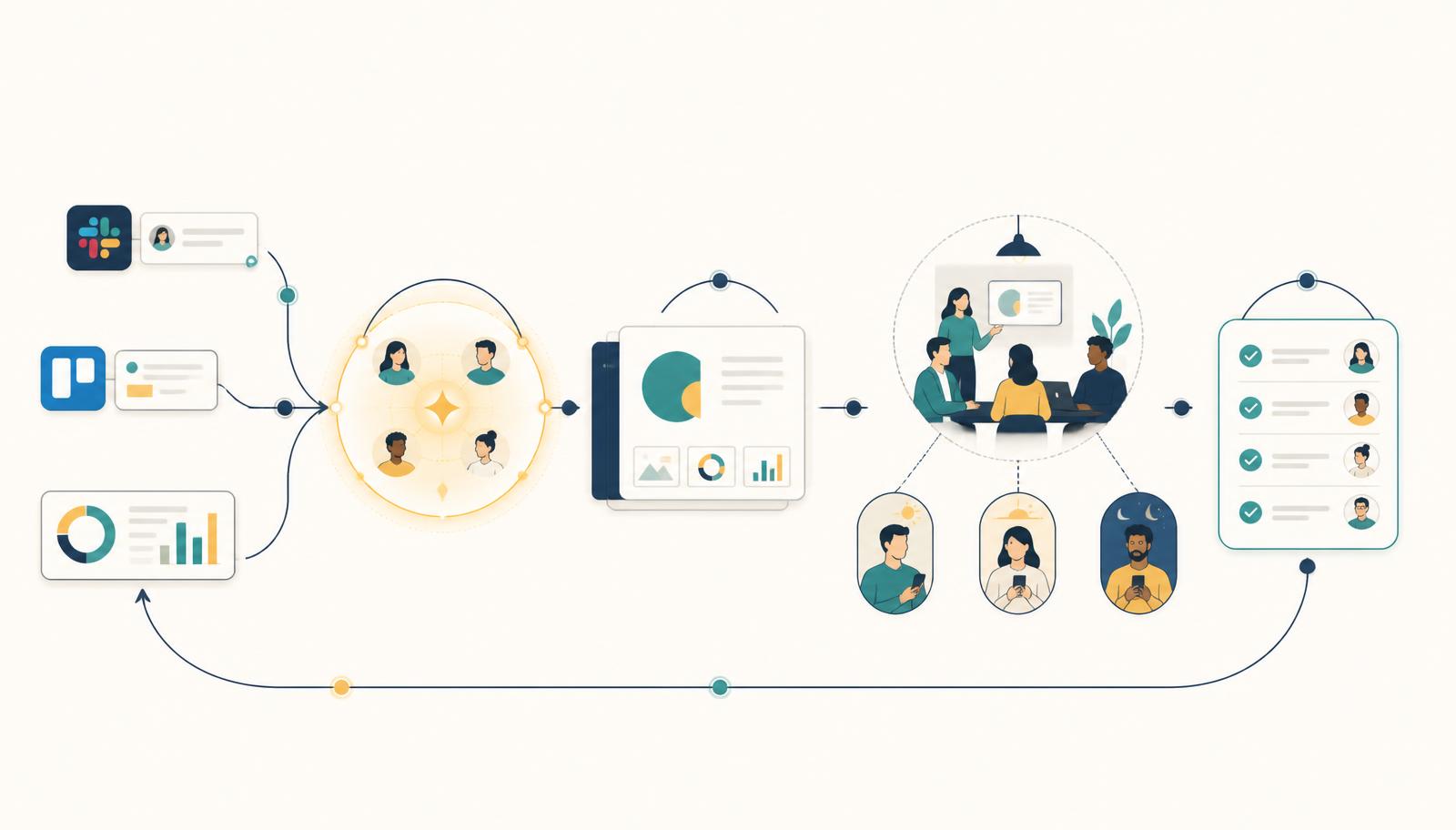
The solution is to make the recap an artefact of the meeting itself, rather than a separate writing task afterwards. This approach works best for recurring operational meetings, project check-ins, and status syncs with structured agendas. It is less suited for open-ended brainstorming or sensitive personnel discussions where live screen editing can interrupt the conversation.
If the inputs are gathered asynchronously before the meeting starts, and decisions are recorded on the shared screen during the discussion, the summary is finished the moment the call ends. Nothing needs to be remembered, transcribed, or reformatted.
In Curact, for example, each slide or agenda item carries its own owner and decision field. As the team talks, the host or contributor types the decision directly onto the shared screen. When the meeting concludes, Curact distributes the structured summary and follow-ups immediately to the team.
This changes the psychological dynamic of the meeting. Participants do not wait to read what someone else remembered; they watch their commitments being recorded live.
How to create a zero-extra-time recap on Monday
You do not need new software to stop writing manual summaries. You can alter the mechanics of your existing weekly meeting starting this Monday using this four-step process.
- 1Prepare the document in advance: Create a shared agenda document before the call with three fixed headings for each topic: Update, Decision, and Action Item.
- 2Share your screen during the call: Keep the document visible on the shared screen throughout the meeting so everyone sees the same text.
- 3Record decisions live: Do not move to the next topic until the 'Decision' and 'Action Item' fields for the current topic are typed out on screen, complete with an assigned owner and a due date.
- 4Send immediately without editing: As soon as the call ends, copy the document link directly into your team chat with zero extra editing or formatting. What was on screen is the recap.
What changes when documentation is live
When you switch to live summary generation, three distinct changes occur in how the team operates.
First, clarity improves. If an action item is phrased vaguely on screen, the assigned owner can correct it immediately before the call moves on, resolving ambiguity while everyone is still present.
Second, the host is relieved of administrative friction. Facilitating a meeting is demanding enough without the obligation to spend twenty minutes afterwards writing prose.
Third, follow-through becomes standard practice. An action item linked to a specific person and date on a shared screen provides clearer accountability than a vague note buried in a long chat thread.
Summary
If your team consistently ignores meeting recaps, the answer is rarely to make the recaps longer or prettier. The answer is to stop writing them after the call. Make decision capture a visible part of the discussion itself, and the summary writes itself before you press 'leave meeting'.
Before your next weekly sync, establish a simple template where decisions and follow-ups are recorded directly on the screen during the discussion, and send the result immediately when you finish.
If you want a platform designed to handle async preparation, live decision capture, and automatic recaps for your recurring meetings, try Curact.
Sources
- Workplace Woes: Meetings Edition — Atlassian (2024)Knowledge workers judge most of their meetings to be ineffective.
- Work Trend Index: Will AI Fix Work? — Microsoft (2023)Most of the working day goes to communicating, not creating.
Findings are paraphrased and linked to the publisher. No source text is reproduced.