Meeting types · Workshop / brainstorm
The ideas arrive before the room does
A workshop asks people to invent on the spot, in front of colleagues, inside a framing the first speaker chose. Then the output lives on a whiteboard that nobody opens again.
Curact collects the contributions in the days before — text and pictures, from a phone, with or without a name — so the live time is spent prioritising rather than producing. Everything that survives the vote leaves with an owner and a date, and comes back with a status next round.
30 days, no card, cancel in one click.
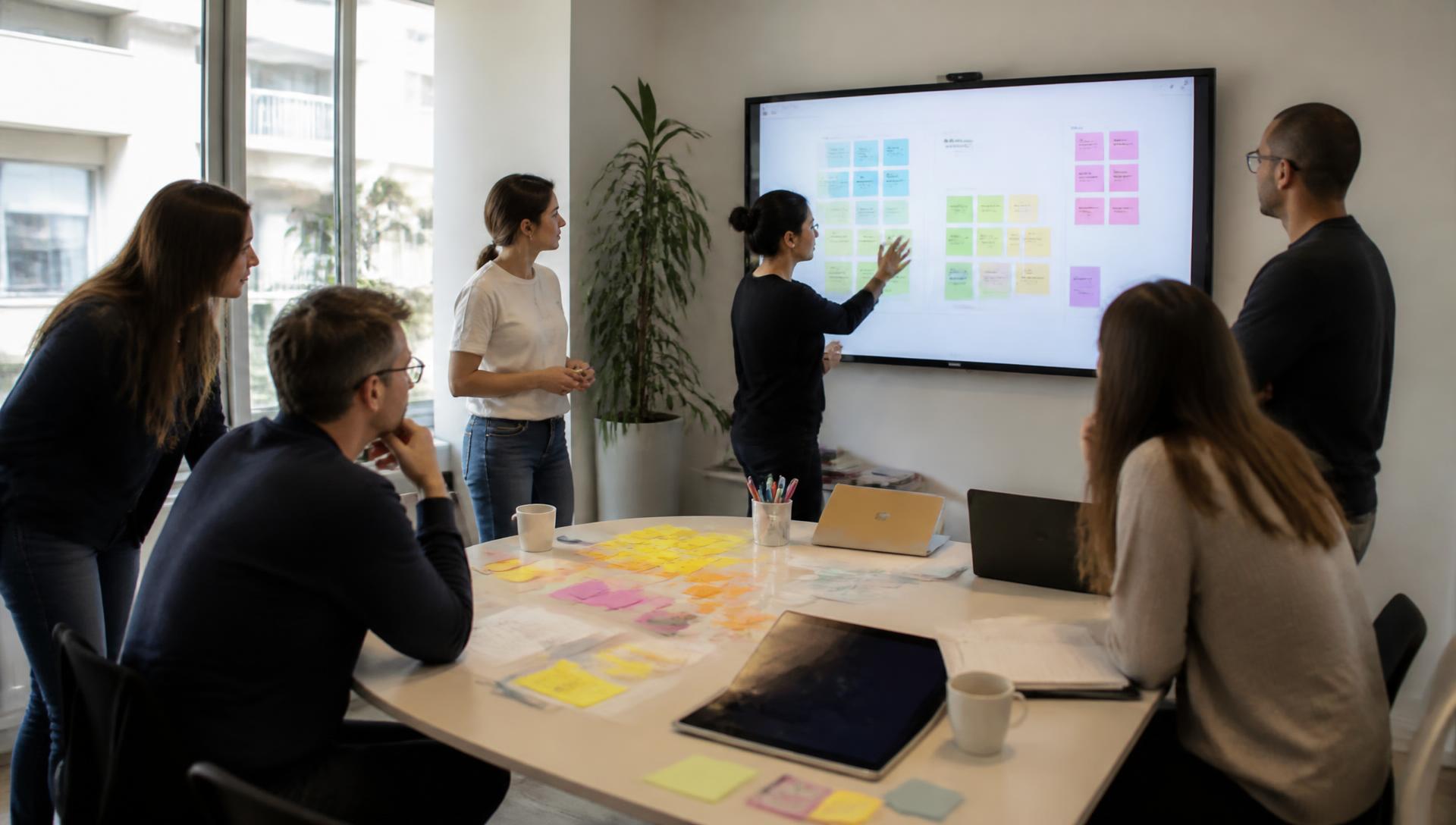
How do you run a remote brainstorming workshop?
A remote workshop is a structured session to generate ideas and reach a decision. It works best when ideas are collected individually before the group meets, preventing the loudest voice from setting the tone. Moving the generation to a link and the prioritisation to a live poll ensures every voice is heard regardless of the timezone.
- 01Send a clear prompt and a collector link to the team a few days ahead.
- 02Let everyone contribute ideas and screenshots on their own schedule.
- 03Group the contributions into themes before the live session starts.
- 04Open the meeting by voting on the themes from phones to surface the top priorities.
- 05Discuss the top-voted themes and agree on next steps.
- 06Assign an owner and a date to every funded idea before closing.
Today
Why do workshops rarely change anything?
Not for lack of ideas. Because generating them live rewards the wrong people, and because the output has no owner.
The fastest talker frames the problem
Whoever speaks in the first three minutes decides what the workshop is about, and every idea after that is a variation on their framing.
Everyone improvises on the spot
People are asked to invent in real time in front of colleagues. The considered idea someone would have written on the train never gets made.
The whiteboard is where ideas go to die
Two hundred sticky notes, a photo in a Slack thread, and nobody opens the board again. The output is a picture, not a plan.
No idea has a name on it
The room agrees something should happen, and because nothing carries an owner or a date, nothing does.
The flow
What happens before, during and after the workshop?
Generating ideas is solitary work. Choosing between them is what a room is for.
Before
A collector link goes out days ahead with one clear prompt and a deadline. People write a few lines whenever the thought arrives — on the train, after a support call — and attach a screenshot if it makes the point better than words.
During
The contributions are already grouped into themes when the session starts. Everybody reads, everybody votes from their phone, and the top themes get the discussion — with an owner and a date named before the slide moves on.
After
The recap posts to Slack with the vote counts and the owners, the ideas that lost stay on the slide instead of being wiped, and the follow-ups reopen on the next workshop's first slide with a status.
The collector slide. It becomes a link in Slack, and every reply you approve turns into its own slide in the deck.
A poll on the grouped themes. Everyone votes from their phone and the bars fill on screen, so prioritising takes minutes.
Slide types
Which slide types fit a workshop?
These blocks cover most formats, from a fifteen-minute idea round to a full quarterly planning workshop.
Contribution collector
The heart of it: a link that collects a short text and an optional image from anyone, with a deadline and a choice of anonymous, optional or required names.
Poll
The grouped themes as options. Everyone votes from their phone, the counts appear on the slide, and prioritisation takes minutes rather than half the session.
Word cloud
A one-word opening that shows the shape of the room before anyone speaks — useful for framing when the group is bigger than a dozen.
Questions from the room
Anonymous questions submitted during the session and upvoted, so the objection nobody wants to raise out loud still gets on the agenda.
Scale
1-5 on how confident the group is in the chosen direction — a quick sanity check before you fund three weeks of work.
Text or focus slide for the actions
The funded themes written up as actions with a name and a date, carried into the next workshop's deck so the round starts where the last one ended.
Example
What does one workshop round look like end to end?
A twelve-person group across three functions, one prompt, forty-five live minutes on a Friday.
- Monday
The workshop is created from the series with one prompt: where does our onboarding lose people? A collector link posts to Slack with the deadline attached.
- Tuesday–Thursday
Contributions arrive across the week — support, sales, engineers, a customer success manager who adds a screenshot of the step customers get stuck on.
- Thursday evening
The host groups the contributions into a handful of themes, keeping the original wording underneath so nobody's idea is quietly reworded away.
- Friday, 45 minutes
The themes are on screen when the call starts. Everyone votes from their phone, the top ones get discussed, and each is given an owner and a date before the deck moves on.
- Friday afternoon
The recap posts to Slack: the themes with their vote counts, the ones funded, and who is doing what by when. Whoever could not join reads the same thing.
- Next round
Slide one is the actions with their status, plus the themes that did not make it — so the next workshop starts from what happened, not from a blank board.
Follow-ups
How does an idea become something that actually ships?
The difference between a workshop and a plan is four small habits.
Every funded theme gets exactly one name. Shared ownership is how good ideas quietly become nobody's problem.
The date is set while everyone is still watching, not afterwards in a document. A date agreed in public is a different commitment from one typed alone later.
Curact can ask the owner for their update as a slide of their own before the next round — they write it on a link, the facilitator approves it, and nobody has to chase anyone in a Slack thread.
Last round's actions are slide one of the next workshop. That single habit is what teaches a team that contributing to these sessions is worth the effort.
Agenda
A 45-minute remote brainstorming workshop agenda, and the days around it
This 45-minute format skips the sticky-note phase because the ideas were already gathered. It is built for deciding, not just talking.
Yours to use, with or without Curact. No signup for the template.
Templates
Three ready-made versions of this meeting
Pick the depth that fits the week. Every template opens as a real deck you can edit, reorder or throw away.
Short
The 20-minute idea sprint
A single collected prompt, a quick vote, and one funded idea — for a fast-moving small group.
20 min · 6 slides
- 1.Idea Sprint: Checkout Drop-off
- 2.Join in
- 3.Where do we lose people at checkout?
- 4.Which idea should we ship first?
- 5.How confident are we this will move the number?
- + 1 more
Standard
The full brainstorm workshop
Async idea collection, grouped themes, a live vote and owners named on screen.
45 min · 10 slides
- 1.Onboarding Workshop
- 2.Join in
- 3.Last round's follow-ups
- 4.Where does our onboarding lose people?
- 5.Theme A: nothing happens after the invite email
- + 5 more
In depth
The full-day planning workshop
A wide problem statement, deep async collection, multiple rounds of prioritisation and a committed plan.
60 min · 13 slides
- 1.Q3 Planning Workshop
- 2.Join in
- 3.Where Q2's commitments landed
- 4.The problem, framed
- 5.One word for what's broken in week two to six
- + 8 more
FAQ
Questions teams ask before their first async workshop
Can a workshop run without a live session at all?
Yes, and for a distributed team it often should. Collect the contributions on a link, run the vote asynchronously over a day or two, and publish the outcome with owners and dates. The live hour is worth booking when the top themes conflict with each other and someone has to choose in front of everyone.
Do people need an account to contribute?
No. Contributors open a link or scan the code on screen, write their idea and attach a picture if it helps. Nothing to install, no login, and the collector can be set to anonymous, optional attribution or required names.
How many people can take part?
Async collection scales in a way a whiteboard session does not — forty people can each write two ideas over three days without anyone talking over anyone. The live part stays short because the generation already happened; you are voting and deciding, not producing.
What happens to the ideas that lose the vote?
They stay on the slide with their vote count instead of being wiped off a canvas. Nothing is deleted, which matters the next time the same subject comes up — you can point at the round where the idea was raised and see how close it came.
How is this different from a whiteboard tool?
A whiteboard is a good live surface and a poor record. Curact collects the input before the session, keeps it as a readable deck with owners attached, and reopens the follow-ups on the next round's first slide, so the workshop becomes part of a series rather than a canvas nobody opens again.
Can ideas be submitted anonymously?
Yes. The collector has three modes — names required, names optional, or fully anonymous — set per collector. Teams often collect the problem statements anonymously and put names on the actions that come out of them.
Instead of
What does this replace?
Brainstorming remotely often fails because the tools built for physical rooms don’t translate well to a screen. Curact changes the flow to suit the medium.
Whiteboard tool
A messy canvas that is hard to turn into a plan.
Contributions are collected as cards that can be grouped, voted on, and assigned owners.
Polling tool
Disconnected from the ideas being discussed.
The poll is built directly from the grouped themes, so the vote is always in context.
Presentation tool
Too formal for a creative session.
The deck is a flexible workspace where ideas arrive live and decisions are recorded on the fly.
Slack photo of the board
The context of the discussion is lost forever.
The full history of ideas, votes, and comments stays with the deck as a readable record.
Curact does not replace Slack, your boards or your video call. It sits next to them: the deck is the meeting, and the tools you already pay for stay where they are.
Built by Textalk
Curact is made by Textalk AB in Sweden, a software company that has run its own distributed weekly meeting for years. This is the tool we built for ourselves first.
Participants need no account
People join from a link or a code on screen and answer from their phone. Only the people who build the deck need a login.
Works next to your stack
Slack for the reminders and the recap, your boards for the source material, any video tool for the call itself.
30 days, no card
The trial is the full product, not a stripped demo. Nothing to cancel if you walk away.
Written and reviewed by the Curact team. Last reviewed August 2026.
Other meetings teams run this way
Onboarding / welcome
A repeatable welcome deck: who's who, an icebreaker from phones, and a page the new colleague writes themselves before day one.
Read moreCulture & social
Highlights, photos and this-or-that rounds collected async, shown as two minutes at the top of a meeting you already have.
Read moreQuiz / game
Quiz slides, teams and a leaderboard live in the same deck, answered from everyone's phone.
Read moreRun the next workshop on ideas people had time to think about
Set it up once as a series. The collector goes out on its own, the themes are ready when the call starts, and every decision leaves with an owner and a date.
30 days, no card, cancel in one click.