Meeting types · Quiz & game
A quiz should not take one person an evening to build
The usual version needs a volunteer, a polling tool, a scoreboard in a spreadsheet, and a shared hour. It is fun twice and then it stops.
Curact collects the questions from the team on a link, turns them into quiz slides in the deck you were already presenting, and lets everyone answer from their phone. The scoreboard is a slide, the results stay in the archive, and the host rotates.
30 days, no card, cancel in one click.
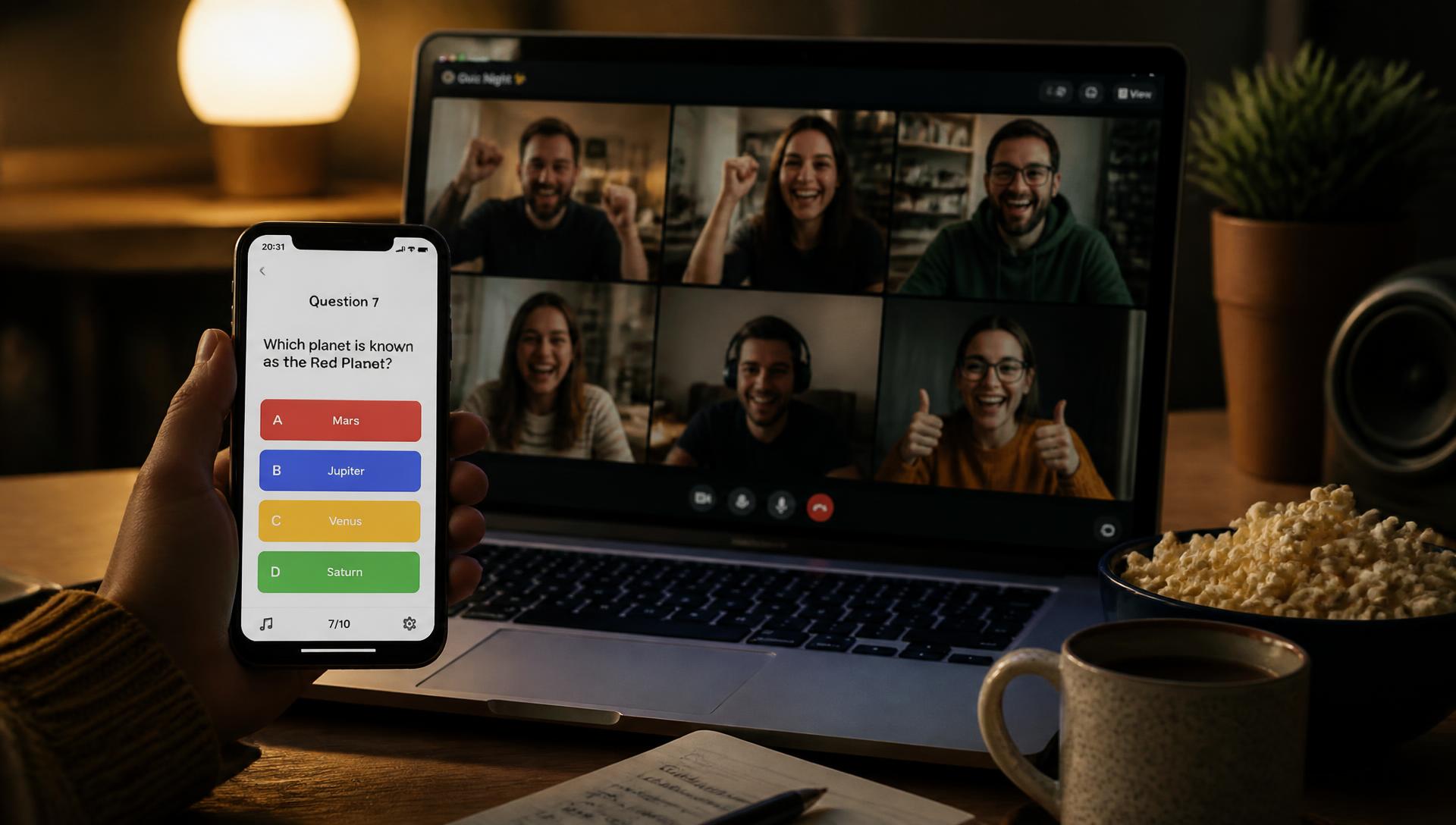
How do you run a quiz for a remote team?
A remote team quiz is a short, gamified session played from phones during a video call. It works best when the questions are crowdsourced from the team beforehand and the round is limited to less than ten minutes. By making the scoreboard part of the meeting deck, you avoid switching between tools and keep the energy high.
- 01Post a collector link asking for one question and answer from every team member.
- 02Pick five questions to ensure the round stays under six minutes.
- 03Let everyone join via a code and answer from their phone while watching the shared screen.
- 04Use random teams to lower the pressure on individuals.
- 05Rotate the host every week so the preparation never falls on one person.
- 06Archive the results in the meeting deck for a running seasonal leaderboard.
Today
Why do remote quizzes stop happening?
Not because teams dislike them. Because one person carries the preparation, the tooling is a stack of tabs, and nothing about the last round is written down.
One person builds it alone
Somebody spends an evening writing forty questions in a separate tool. It goes well, they get thanked, and they quietly never volunteer again.
Three tools for one round
A deck for the questions, a polling tool for the answers, a spreadsheet for the score. Ten minutes of the session is spent switching between them.
The same two people answer
Unmuting first is a skill, and it is not the same as knowing the answer. Played out loud, a quiz measures confidence and connection speed.
Nothing survives the call
No record of who won, which questions were good, or what was asked last time. Every round starts from an empty page again.
The flow
What happens before, during and after?
The writing is spread across the team and across a few days. Only the playing needs everyone at once.
Before
A collector link asks for one question each. The pool fills over a few days, the host picks five, and the chosen questions become slides with their contributor credited.
During
Six minutes inside a meeting the team already has. Everyone answers from their phone, the shared screen shows the answers landing, and the leaderboard updates between rounds.
After
The deck posts to Slack with the results, the unused questions stay in the pool, and the next host is already named — so the round after this one needs no volunteer.
A multiple-choice round answered from phones, with bars filling live on the shared screen.
Top scorers by name, updated between rounds and kept in the deck afterwards.
Slide types
Which slide types make up a quiz round?
Six blocks, mixed so a round is not five identical questions in a row.
Question collector
A link posted to a channel where anyone submits a question and its answer. The pool builds up over days, and leftovers roll into the next round.
Multiple choice
Four options, answered from a phone, with bars filling live on the shared screen. Points can be flat or weighted by how fast the answer came in.
This or that
A two-option round answered in three seconds. Good for warming a room up before anything is actually scored.
Word cloud
An open-answer round where the crowd's guesses form the picture. Works well for 'name something' questions with no single right answer.
Guess the number
A question with a numeric answer — how many customer calls did we take last month? Closest guess wins, and the material comes from the same collector, so it is about the team rather than trivia.
Leaderboard
Teams and scores as a slide, updated between rounds and kept in the deck afterwards. The record exists without anyone maintaining a spreadsheet.
Example
What does one round actually look like?
A nineteen-person team, a collector on Monday, six minutes at the end of the Friday meeting.
- Monday
A collector posts to the team channel: send one question, any subject except work, plus the answer. Deadline Thursday, no account needed.
- Tue–Thu
Twenty-six questions arrive from a team of nineteen. Some are excellent, some are unusable, and picking five takes the host four minutes.
- Thursday
The chosen questions become quiz slides in the Friday deck, each with its answer options and its contributor credited on the slide.
- Friday, 6 minutes
Five rounds played from phones. Answers land live, the bars fill on the shared screen, and the leaderboard updates between questions.
- Friday, after
The deck posts to Slack with the results. The unused questions stay in the pool for next time, so the next host starts with a stack, not a blank page.
- Next round
The host rotates. The scoreboard carries over if the team wants a season, or resets if they would rather it stayed light.
Keeping it light
How do you stop a quiz becoming competitive?
Four rules that keep a game from turning into a ranking of who is quickest to unmute.
Randomly drawn teams mean nobody is exposed on their own, and the person who knows the answer is not always the person who says it.
The host is named at the end of each round and only has to pick five questions from a pool the team already filled. That is a four-minute job, not an evening.
Questions about colleagues, launches and shared history beat general knowledge — they cannot be won by whoever reads the most trivia.
Six minutes inside an existing meeting, not an hour of its own. Short enough that skipping a round costs nobody anything.
Agenda
A 6-minute quiz agenda, and the week around it
Copy it, change the wording, run it in whatever tool you use today. It works without Curact — Curact just makes the collection sustainable.
Yours to use, with or without Curact. No signup for the template.
Templates
Three ready-made versions of this meeting
Pick the depth that fits the week. Every template opens as a real deck you can edit, reorder or throw away.
Short
The 3-question warm-up
Three quick questions and a scoreboard, tacked onto a meeting that already exists.
12 min · 7 slides
- 1.Company Quiz
- 2.Join in
- 3.Which city did we open our first office in?
- 4.What is the name of our support Slack bot?
- 5.How many customers did we onboard last month?
- + 2 more
Standard
The Friday quiz round
Five crowdsourced questions in teams, a this-or-that warm-up, and a leaderboard at the end.
25 min · 10 slides
- 1.Company Quiz
- 2.Join in
- 3.Warm-up: pineapple on pizza — yes or no?
- 4.Which city did we open our first office in? — submitted by Marcus
- 5.What is the name of our support Slack bot? — submitted by Priya
- + 5 more
In depth
The team championship
A full 45-minute tournament: three scored rounds in teams, a scoreboard between each, and a grand final.
46 min · 15 slides
- 1.Company Quiz — the championship
- 2.Join in
- 3.Teams
- 4.Round 1 — Which city did we open our first office in?
- 5.Round 1 — What is the name of our support Slack bot?
- + 10 more
FAQ
Questions teams ask about quiz slides
Do we need a separate quiz tool?
No. Questions, answer options, teams and the scoreboard are slide types in the same deck as the rest of the meeting. Nobody has to leave the call, open a second link or log in anywhere — the join code they already used for the meeting is the one they answer from.
Who writes the questions?
The team does, on a collector link posted a few days before. A prompt like 'send one question about anything except work' usually returns more questions than a round needs, which means the host picks rather than invents.
Can people play from a phone?
Yes, and that is the normal way. Participants open the join code on their phone and answer there while the question is on the shared screen, so the deck stays readable and nobody is fighting for the same window.
Does it work for people who cannot join the call?
Partly, and deliberately so. Rounds that are pure fun can stay open after the session so another time zone can play and land on the same scoreboard; timed rounds are live-only, and the results are in the deck afterwards either way.
How long should a quiz round be?
Five to eight minutes and three to five questions is the range that works. Longer rounds turn into an event that needs its own hour, which is exactly the format that stops happening after a month.
What stops it becoming a trivia contest a few people always win?
Teams rather than individuals, a rotating host, and questions about the team rather than general knowledge — 'whose desk is this', 'who said this in Slack last month'. The scoreboard is kept as a running joke, not a performance metric.
Instead of
What does this replace?
Remote quizzes usually fail because the preparation is too heavy for one person. Spreading the work across the team makes it sustainable.
A dedicated trivia website
Requires yet another login and another tab to manage.
The quiz is a slide type in the deck you are already presenting, so the flow is seamless.
A spreadsheet for scoring
Slows the room down while the host types in results.
The leaderboard updates automatically as soon as the last phone answers, keeping the momentum.
Out-loud 'shout the answer'
Favors the loudest extroverts and the fastest internet connections.
Everyone answers on their own screen at the same time, making it fair for every participant.
Curact does not replace Slack, your boards or your video call. It sits next to them: the deck is the meeting, and the tools you already pay for stay where they are.
Built by Textalk
Curact is made by Textalk AB in Sweden, a software company that has run its own distributed weekly meeting for years. This is the tool we built for ourselves first.
Participants need no account
People join from a link or a code on screen and answer from their phone. Only the people who build the deck need a login.
Works next to your stack
Slack for the reminders and the recap, your boards for the source material, any video tool for the call itself.
30 days, no card
The trial is the full product, not a stripped demo. Nothing to cancel if you walk away.
Written and reviewed by the Curact team. Last reviewed August 2026.
Other meetings teams run this way
Product development
Squads write their own slides during the week and agents draft from Slack and your boards, so the call starts on the open questions.
Read moreSales
Reps write their own pages before the meeting and KPI owners are nudged for a fresh figure, so the call is coaching, not reporting.
Read moreCustomer feedback
Everyone who talks to customers writes their themes on a link beforehand, and each agreed fix leaves with a named owner.
Read moreRun a quiz without anyone building one
Post the collector once, pick five questions on the day, and play from phones inside the meeting you were already having.
30 days, no card, cancel in one click.