Meeting types · Retro / check-in
The quiet feedback shows up first
Most retros are decided in the first two minutes. Whoever speaks first sets the tone, the honest version of the sprint stays in DMs, and the improvements everyone agreed to are never checked again.
Curact collects the signal before anyone talks: anonymous 1-5 scales and a word cloud answered from a phone over the weekend. The session opens on the distribution instead of a round of updates, and the changes you agree leave with an owner and come back on the next retro's first slide.
30 days, no card, cancel in one click.
How do you run a retrospective with a remote team?
A retrospective is a short recurring session where a team looks at how the last period went and agrees what to change. Remotely it works best when the input is collected in writing before the call — anonymously — and the live part is spent deciding, not taking turns talking. Twenty-five minutes live plus a few minutes each on a phone beforehand is enough for most teams.
- 01Send an anonymous check-in a few days ahead: three or four 1-5 scales and one word-cloud prompt.
- 02Let people answer from their phone, whenever their day allows — a minute or two each.
- 03Read the results before the call and pick the two topics the answers point at.
- 04Open the session on last round's actions, then on the distribution and the cloud.
- 05Decide what changes, name an owner and a date for each one.
- 06Post the recap where the team already is, and reopen those actions at the next retro.
Today
Why does the honest feedback never reach the retro?
Not because people are dishonest. Because the format asks them to be candid out loud, in front of the person the feedback is about.
The same three voices
A round-robin rewards whoever is comfortable speaking first, and the first answer quietly sets the range everyone else stays inside.
Only the last two weeks exist
Recency wins. The thing that went wrong yesterday gets twenty minutes; the slow problem that has been there all quarter gets nothing.
The honest version stays in DMs
People tell one colleague what they actually think and tell the room a softened version of it, so the meeting works on the wrong problem.
Actions evaporate
Three improvements are agreed with real enthusiasm, written in someone's notes, and never checked — which is what teaches a team that retros do not change anything.
The flow
What happens before, during and after the retro?
Gathering opinions is written work. Deciding what to change is what a room is for.
Before
A link goes out in Slack a few days ahead. People answer anonymous 1-5 scales — energy, clarity of the plan, workload, confidence — plus one word-cloud prompt and an optional free-text field. Ninety seconds on a phone, no login, no account.
During
The cloud and the distributions are already on screen when the call starts, so nobody spends the first ten minutes discovering what the team thinks. Twenty minutes on the two topics the answers pointed at, with anonymous questions from the room for whatever else needs saying.
After
The changes you agreed leave with an owner and a date, the recap posts to Slack for everyone who could not join, and the same scales run again next round so the team can see a trend rather than argue about one bad Monday.
An anonymous scale answered before the call. The screen shows the distribution, never who answered what.
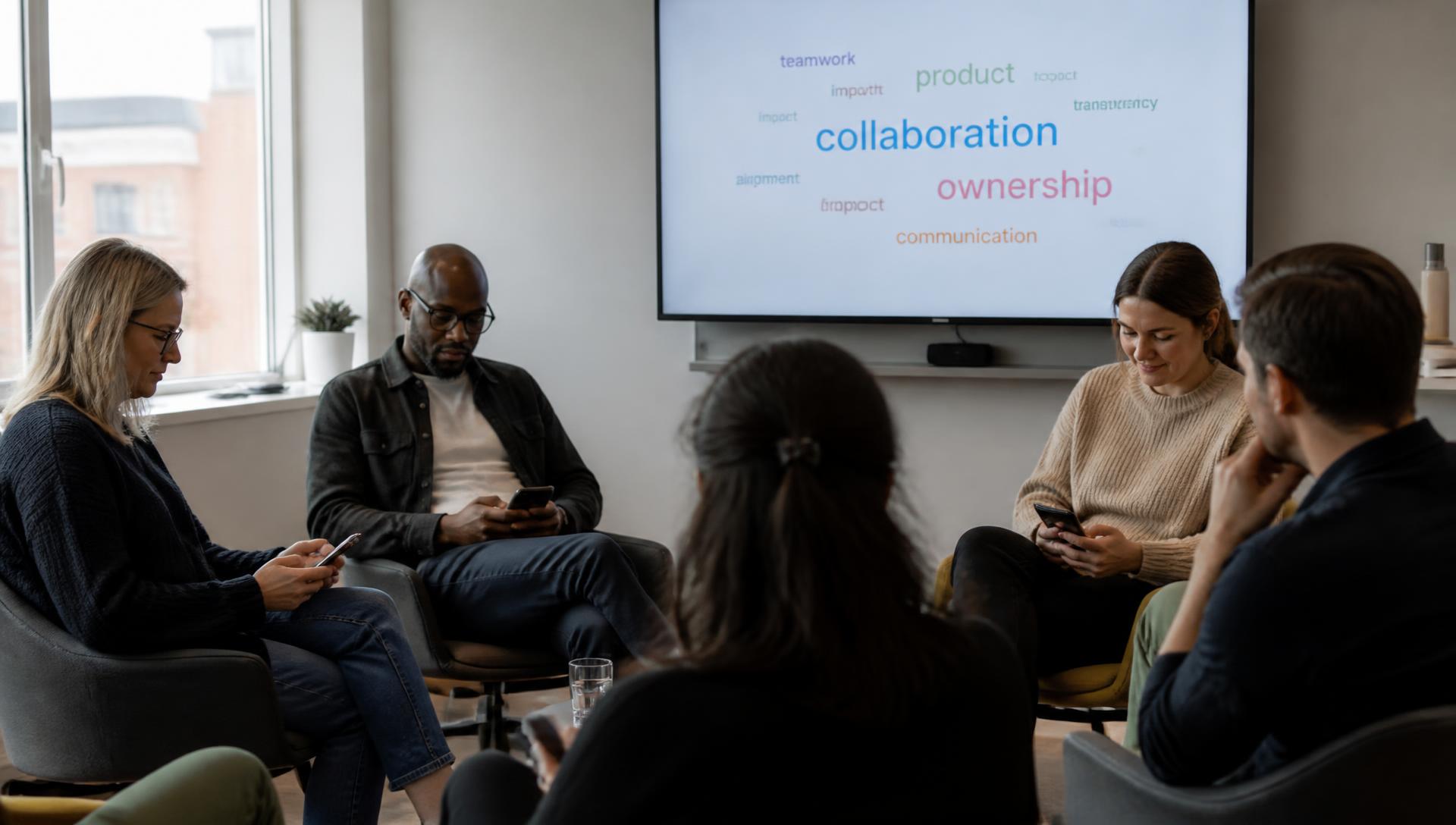
Answers merge into a cloud as they arrive, so the word half the team chose is the biggest thing on screen before anyone speaks.
Slide types
Which slide types fit a retrospective?
Six building blocks cover almost every retro format, from a two-question check-in to a full quarterly review.
Anonymous scale
1-5 on energy, clarity, workload or confidence in the plan. The distribution is shown, not an average — a flat 3 and a violently split room look nothing alike.
Word cloud
One word for the sprint. Answers merge as they arrive, so the word half the team independently chose is the biggest thing on the screen before anyone has spoken.
Questions from the room
Anonymous questions submitted before and during, upvoted by everyone, so the awkward one gets asked instead of surviving as a rumour.
Poll
For the choice at the end: which of these three changes do we actually make this sprint? Voted live from phones, with the result on the slide.
Carried-over follow-ups
Last round's actions with owners and status, opened first — the slide that decides whether the team believes retros are worth attending.
Contribution collector
For richer input: a link that collects a short text and an image from anyone who wants to show what they mean, gathered before the session.
Anonymity
What does anonymous actually mean here?
A promise of anonymity is only worth what the tool does with the data behind it.
Answers to anonymous scales, word clouds and room questions are saved without a person attached. There is no host view that reveals them, because there is nothing to reveal.
The screen shows a distribution, a merged cloud and how many people have answered — enough to run the meeting, not enough to work out who said the uncomfortable thing.
Not everything should be anonymous. Slides someone volunteers to write, and the actions they take on, carry their name — anonymity is for the input, ownership is for the output.
In a team of four, anonymity is thin whatever the software claims. Say so out loud and use the structure for what it is good at: everyone answers before anyone speaks.
Example
What does one retro round look like end to end?
An eight-person team across three timezones, one shared link and twenty-five minutes on a Monday.
- Friday
The retro is created from the series. A link goes out in Slack with four anonymous scales and one word-cloud prompt: one word for the sprint.
- Over the weekend
People answer from their phones in about ninety seconds, whenever suits them. The optional free-text field catches the things a 1-5 scale cannot hold.
- Monday morning
The host reads the results before anyone joins: energy is split, clarity of the plan is the lowest it has been in three rounds, and the cloud is dominated by one word.
- Monday, 20 minutes
The session opens on the distribution rather than a round of updates. Two topics, chosen because the data pointed at them, and questions from the room for anything else.
- Monday afternoon
Two changes leave with an owner and a date. The recap posts to Slack with the cloud and the scales, so people who could not join see the same picture.
- Next retro
Slide one is last round's actions with their status, and the same scales again — so the trend, not the mood of one Monday, is what the team discusses.
Agenda
A 25-minute retro agenda, and the days around it
Copy it, change the wording, run it in whatever tool you use today. It works without Curact — Curact is what makes the async half happen on its own.
Yours to use, with or without Curact. No signup for the template.
Templates
Three ready-made versions of this meeting
Pick the depth that fits the week. Every template opens as a real deck you can edit, reorder or throw away.
Short
The 15-minute pulse check
One scale, one word cloud, one decision — for a team that retros every week.
16 min · 6 slides
- 1.Sprint Retro
- 2.Join in
- 3.How confident are you in the plan for next sprint?
- 4.One word for this sprint
- 5.What should we actually change this week?
- + 1 more
Standard
The full sprint retro
Last round's actions, the pulse, the two topics the data pointed at, and named changes.
30 min · 9 slides
- 1.Sprint Retro
- 2.Join in
- 3.Last round's actions
- 4.How was your energy this sprint?
- 5.One word for this sprint
- + 4 more
In depth
The quarterly deep retro
A longer look back across the quarter: trends on the scales, themes, and a small set of real changes.
55 min · 12 slides
- 1.Quarterly Retro
- 2.Join in
- 3.How sustainable was your workload this quarter?
- 4.One word for the quarter
- 5.What we're proud of
- + 7 more
FAQ
Questions teams ask before their first async retro
Is the feedback really anonymous?
Scales and word clouds are collected without a name attached, and the host sees aggregates — a distribution, a cloud, a count of who has answered — not individual rows. That is the whole point: the number that says half the team is running on empty is only useful if nobody had to put their name on it.
Can a retro run without a call at all?
Yes. Collect the scales, the word cloud and the free-text answers on a link, let people read the results and comment in writing, and close with the changes you are making. Teams spread over several timezones often run three retros async and one live per quarter.
How small a team is too small for anonymity?
Below about five people anonymity stops being real, whatever the tool promises. For small teams the value is in the structure rather than the anonymity: everyone answers the same questions before anyone speaks, so the first opinion in the room does not set the tone for the rest.
How is this different from a whiteboard tool?
A whiteboard is a great surface for a live workshop and a poor record afterwards. Curact collects the input before the session, keeps it as a readable deck with the actions attached, and reopens those actions on the next retro's first slide — so the retro is part of a series instead of a canvas nobody revisits.
What carries over between retros?
The changes you agreed, each with an owner and a date, plus the trend on the scales you keep asking. Round two opens with "here is what we said last time and where it landed", which is the single change that most often makes retros feel worth the hour.
Do people need an account to take part?
No. Participants open a link or scan the code on screen and answer from their phone. Nothing to install, no login, and the anonymous slide types do not ask who they are.
Instead of
What does this replace?
Most remote retros are already run with three or four tools. Nothing wrong with any of them — the cost is in the seams between them.
A polling tool for the check-in
Great in the moment, gone afterwards.
The scale and the word cloud are slides in the deck, so this round sits next to the last one and the trend is visible instead of remembered.
A whiteboard full of stickies
A canvas nobody reopens.
Input is collected on a link before the session and kept as a readable page, with the agreed changes attached to it.
A doc with the action list
Written once, checked never.
Actions carry an owner and a date and come back as the first slide of the next retro, with their status.
A Slack thread for whoever missed it
Scrolls away in a day.
The recap posts to Slack automatically and links back to the deck, which stays readable for every timezone.
Curact does not replace Slack, your boards or your video call. It sits next to them: the deck is the meeting, and the tools you already pay for stay where they are.
Built by Textalk
Curact is made by Textalk AB in Sweden, a software company that has run its own distributed weekly meeting for years. This is the tool we built for ourselves first.
Participants need no account
People join from a link or a code on screen and answer from their phone. Only the people who build the deck need a login.
Works next to your stack
Slack for the reminders and the recap, your boards for the source material, any video tool for the call itself.
30 days, no card
The trial is the full product, not a stripped demo. Nothing to cancel if you walk away.
Written and reviewed by the Curact team. Last reviewed August 2026.
Other meetings teams run this way
Workshop / brainstorm
Contributions collected on a link days ahead, prioritised by a live vote from everyone's phone, and turned into follow-ups with owners.
Read moreOnboarding / welcome
A repeatable welcome deck: who's who, an icebreaker from phones, and a page the new colleague writes themselves before day one.
Read moreCulture & social
Highlights, photos and this-or-that rounds collected async, shown as two minutes at the top of a meeting you already have.
Read moreRun the next retro on what the team actually thinks
Set it up once as a series. The scales and the word cloud go out on their own, the session starts from the distribution, and last round's changes are the first thing on screen.
30 days, no card, cancel in one click.