Meeting types · Town hall / all-hands
An all-hands the whole company can take part in, including the half that's asleep
The company update has the worst attendance-to-participation ratio of any meeting you run: everybody is invited, almost nobody speaks, and the people furthest from headquarters get a recording. Curact moves the asking, the writing and the answering into the days around the meeting.
Which means the live hour is optional. Some companies keep thirty minutes for the questions that deserve a voice; some never meet at all and still get more participation than they did on camera.
30 days, no card, cancel in one click.
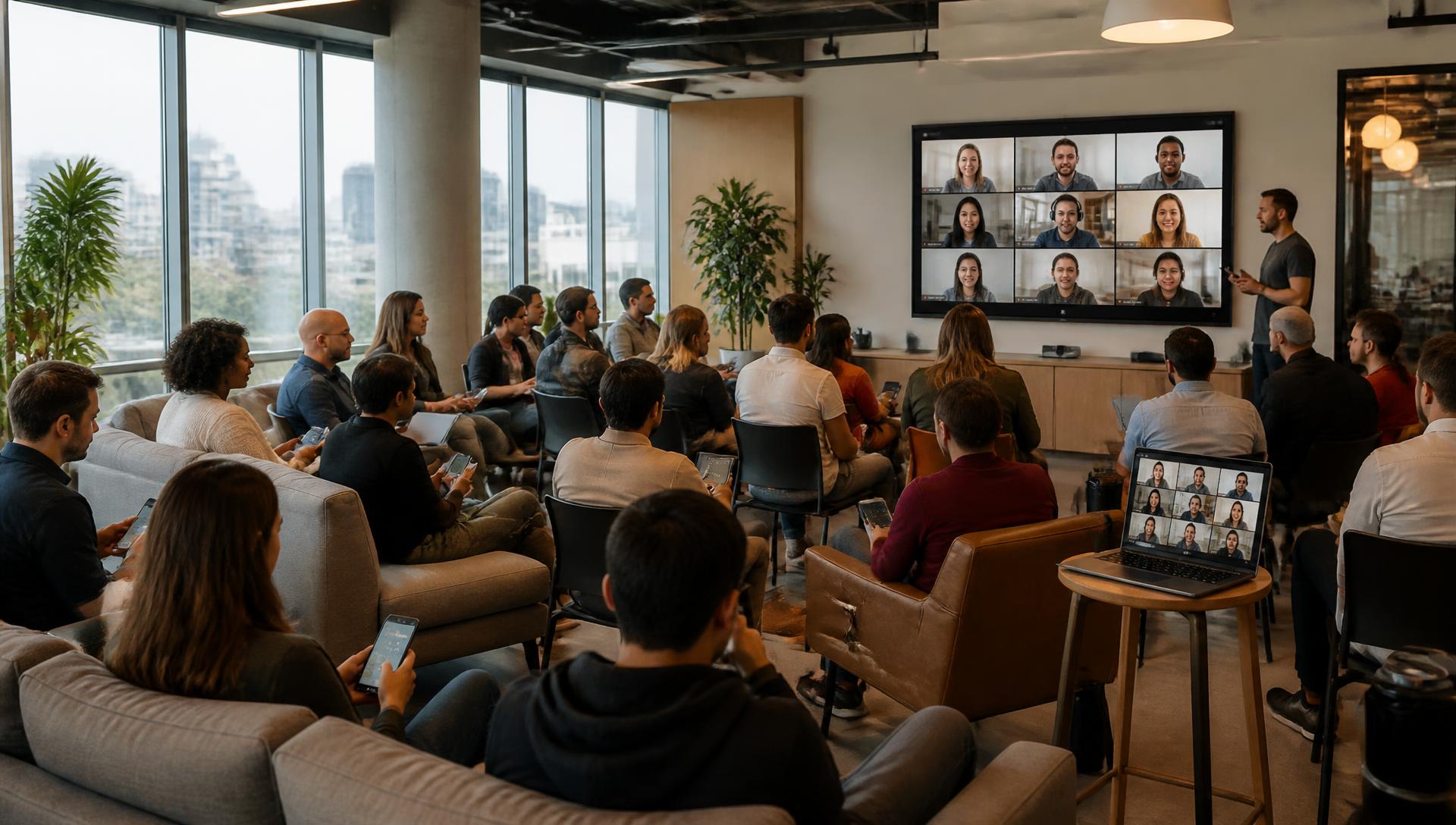
How do you run an all-hands meeting remotely?
An all-hands meeting is a company-wide session where leadership shares updates and answers questions from the team. Remote versions work best when participation is moved into the days around the meeting, allowing people in all timezones to contribute. Thirty minutes live for the voice-only parts plus async updates is often more effective than a long broadcast.
- 01Open a Q&A block two weeks early to let the company shape the agenda.
- 02Have each team write their own spotlight slide from a personal link.
- 03Nudge KPI owners for fresh figures a few days before the session.
- 04Review and approve all submitted slides in a single inbox.
- 05Run a short live session for top-voted questions and team wins.
- 06Post the recap and unanswered question responses immediately to Slack.
Today
How the all-hands usually runs
One timezone in the room, everyone else muted. Forty minutes of slides built by one exhausted person, and a question round that ends in silence.
Half the company is asleep
One timezone gets the live hour, the rest get a recording nobody watches to the end. Participation stops being a choice and becomes a matter of geography.
It's a broadcast, not a meeting
Forty minutes of slides, five minutes of "any questions?", and a silence everyone reads as agreement. The people with the real question keep it to themselves.
The deck is a two-day job
Someone chases every team for a number and a slide, rebuilds the same layout each quarter, and finishes at midnight the day before.
Nothing survives the hour
Promises are made on camera and never written down. Next all-hands, someone asks the same question again and nobody remembers what was said.
The flow
Before, during and after — with the call optional
A company update is the meeting that benefits most from lasting longer than an hour. Here is what each phase carries.
Before
Questions open two weeks out and get upvoted, so the agenda comes from the company. Each team writes its own spotlight page from a personal link, KPI owners are nudged for fresh numbers, and agents draft first versions from the channels and boards you point them at. The host approves everything in one review inbox.
During
If you meet, it is short and it is only the parts that need a voice: the top-voted questions, two team spotlights, the commitments. Everyone answers polls and scales from their phone with no account. If you don't meet, the deck is published and the same blocks stay open for a couple of days.
After
Unanswered questions get written answers with a name on them. The recap posts back to Slack as a by-product rather than a separate writing job, and every commitment returns at the next all-hands with an owner, a date and a status.
Questions submitted before the meeting arrive as cards, ordered by upvotes, so the room starts with what people actually want to know.
A team spotlight slide, written by the team itself from a link rather than summarised secondhand.
Example
What one quarterly all-hands actually looks like
A 180-person company across five countries, one quarterly round, and no two-day deck-building job for anyone.
- Two weeks out
The questions block opens. Anyone in the company can ask, anonymously if they want, and upvote what someone else already asked — so the agenda is shaped by the company, not guessed at.
- One week out
Each team lead gets a personal link and writes their own page: what shipped, what's stuck, the one number they own. Agents draft first versions from the connected channels and boards so nobody starts from an empty slide.
- Three days out
KPI owners are nudged for fresh figures, and the leadership section is written against the questions that got the most votes rather than against last quarter's template.
- One day out
The host works one review inbox: accept, edit or drop each submitted page and each agent suggestion. The deck is finished the day before, not the night before.
- The day
A 30-minute live session for the questions that deserve a voice — or no session at all. Everyone else reads the deck, answers the polls and adds questions from their phone across the next 48 hours.
- After
Unanswered questions get written answers with a name attached, the recap posts back to Slack, and every commitment becomes a follow-up that reappears at the next all-hands with its status.
Building blocks
The slides and agents that fit a company update
Nothing here is locked to a format — start from a ready-made deck and rewrite, reorder or delete.
Questions from the room
Open before the meeting, still open after it. Upvotes surface what the company actually wants answered; anonymity is optional and usually the point.
Team spotlight
A different team each round writes its own page from a link — their words, their screenshot, their credit — instead of a leader summarising them badly.
KPI block
One slide per company number, each with a named owner who is nudged for a fresh figure, and the previous value carried over so the trend is visible.
Anonymous scale
How clear is the direction? How is your workload? A quiet, honest read from the whole company before anyone speaks up.
Contribution collector
New joiners, wins, photos from the offsite — collected in the days before so the human part of the all-hands isn't improvised on the call.
Decisions and follow-ups
What was promised on stage leaves with an owner and a date, and comes back in the next deck with a status rather than a memory.
Agenda
A 30-minute all-hands agenda, and the days around it
Copy it, adjust the timing, and run it in the tools you use today. Curact is what makes the collection of team updates and questions happen without a manual chase.
Yours to use, with or without Curact. No signup for the template.
Templates
Three ready-made versions of this meeting
Pick the depth that fits the week. Every template opens as a real deck you can edit, reorder or throw away.
Short
The 20-minute check-in
One number, one team spotlight, and the top-voted question — nothing else.
20 min · 6 slides
- 1.All-Hands — March check-in
- 2.Join in
- 3.The number this month
- 4.Team spotlight — Support
- 5.Top-voted question
- + 1 more
Standard
The quarterly all-hands
Priorities, the real numbers, two team spotlights and the questions the company voted for.
33 min · 9 slides
- 1.All-Hands — Q1 review
- 2.Join in
- 3.How clear is the direction to you right now?
- 4.Priorities for the quarter
- 5.The numbers
- + 4 more
In depth
The state-of-the-company session
The full picture: strategy, every headline number, three team spotlights and an open floor.
55 min · 11 slides
- 1.All-Hands — year in review
- 2.Join in
- 3.How would you rate this year, honestly?
- 4.Where we stand
- 5.The numbers, in full
- + 6 more
FAQ
Questions people running all-hands ask first
How do people in other timezones actually take part?
They take part in writing, on their own hours. Questions can be asked before the meeting and stay open after it, polls and scales can be answered for a day or two rather than for the ninety seconds they are on screen, and team updates are written by the teams themselves during the week. Nobody has to be awake at 16:00 CET to have a say.
Can an all-hands run without a live call at all?
Yes. A written all-hands is a real option: the deck is published, everyone reads it and answers the interactive blocks from their phone, and the questions get written answers with a name attached. Many companies keep a short live half hour for the two or three things that deserve a voice, and run the rest async around it.
How do we stop it from being a one-way broadcast?
By collecting before you present. Questions from the room come in ahead of time and can be upvoted, so the ones most people care about are visible before anyone speaks. Anonymous scales give you an honest read on how the company feels, and team spotlights hand the microphone to a different team each round instead of the same three leaders.
Do people need an account to join?
No. Attendees open a link or scan the code on screen and join from their phone — no download, no login. Asking a question can be anonymous if you turn that on, which is usually what makes the uncomfortable questions appear at all.
What happens to the questions nobody had time to answer?
They stay with the meeting rather than disappearing with the call. Unanswered questions can be answered in writing afterwards, and anything that turns into a commitment becomes a follow-up with an owner and a date that reappears at the next all-hands with its status.
How much of the deck does the AI write?
Agents read the sources you point them at — Slack channels, boards, the KPI register, outside sources for watch agents — and propose slides and findings with a suggested owner. They never publish. Everything waits in a review inbox until the host accepts it, and an agent cannot overwrite a slide someone already approved.
Instead of
What does this replace?
The all-hands is the hardest meeting to coordinate across timezones. Most teams use four or five tools to bridge the gap; Curact just removes the seams between them.
Spreadsheet for team updates
A chore to fill in and hard to read back.
Each team gets a personal link to write their own slide, which then fits perfectly into the deck.
Slide tool for the deck
One person spends two days assembling it.
The deck assembles itself from the submitted slides and agent suggestions for the host to review.
Slack for Q&A
Questions get lost in the thread noise.
A dedicated room Q&A block collects, upvotes and stores questions with their answers.
Recording for latecomers
Nobody watches a 60-minute recording.
The deck stays readable and interactive after the meeting, so latecomers can still vote and read at their own pace.
Curact does not replace Slack, your boards or your video call. It sits next to them: the deck is the meeting, and the tools you already pay for stay where they are.
Built by Textalk
Curact is made by Textalk AB in Sweden, a software company that has run its own distributed weekly meeting for years. This is the tool we built for ourselves first.
Participants need no account
People join from a link or a code on screen and answer from their phone. Only the people who build the deck need a login.
Works next to your stack
Slack for the reminders and the recap, your boards for the source material, any video tool for the call itself.
30 days, no card
The trial is the full product, not a stripped demo. Nothing to cancel if you walk away.
Written and reviewed by the Curact team. Last reviewed August 2026.
Other meetings teams run this way
KPI & business review
Each number has an owner who is asked for a fresh figure, last period carries over, and follow-ups come back with a status.
Read moreProject kickoff
Goal, scope, milestones and risks written by their owners in advance, and every open decision leaving with a name and a date.
Read moreRetro / check-in
Anonymous 1–5 scales and word clouds answered from a phone, so the honest signal is on the screen before the discussion starts.
Read moreRun the next all-hands so the whole company can answer
Set up the series once, open the questions two weeks out, and let each team write its own page. Keep the live half hour or drop it — the update lands either way.
30 days, no card, cancel in one click.